Drag the "Your License" link into the box in the MovingPhotos3D options page, as in the picture below. If you haven't installed MovingPhotos3D yet, get it here. Be sure you have the screen saver, and not the standalone app. The screen saver has the box that says "Drag your license link or file here." The standalone app lacks this box.
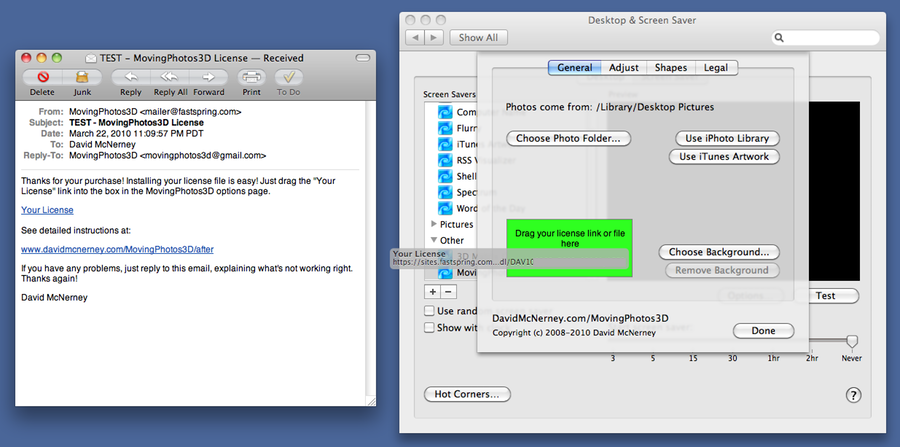
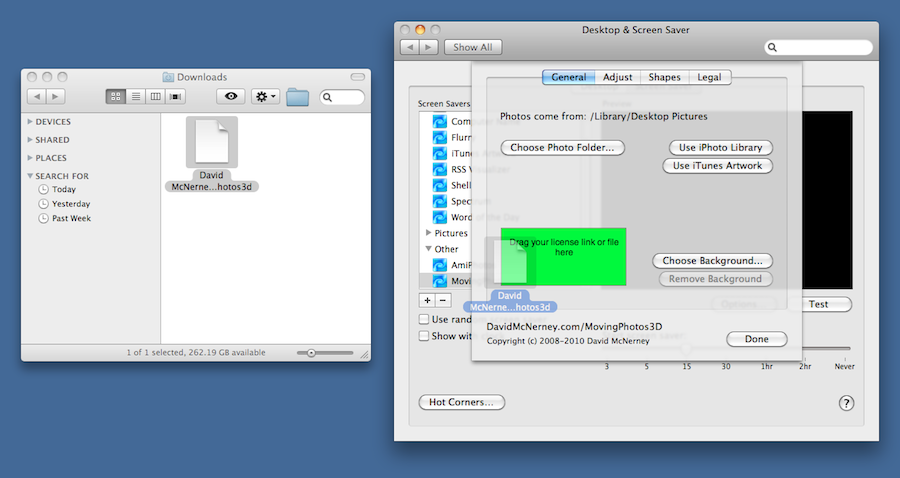
If dragging the link doesn't work, then download the license file using the same link. Drag the downloaded file to the same box in the options, as in the picture below. If you see a message like "Not Available", email me and I'll reset your link.
If the above steps don't work, email movingphotos3d at gmail.com for help. My top priority is to assist you. Don't worry, you will be taken care of. Remember we may be in different time zones, and check your junk/spam folder.